OnRobot

From Simulation to Real-World Manipulation: OnRobot Developer Resources for Physical AI

Simulate. Collect. Control.

Companies building Physical AI are making rapid progress in models, simulation, and vision-language-action systems. The next challenge is bridging that progress to real-world interaction, from collecting interaction data to controlling physical devices.

OnRobot’s new Physical AI developer resources are designed to support that connection across three areas of development: Simulate, Collect, and Control.

At some point, the model has to act: grasp, lift, insert, push, hold, release, recover, and repeat, all while contending with friction, slip, compliance, tolerances, and contact. The physical interaction layer is where that happens. OnRobot’s Physical Interaction Layer for AI is a growing platform of intelligent robotic tools and developer resources built for exactly that moment.

For teams developing Physical AI, this layer determines what the robot can do, what it can sense, what interaction data it can collect, and how reliably simulated and demonstrated behaviors transfer to real tasks.

OnRobot’s developer resources give teams practical tools for working across this workflow, including URDF models, NVIDIA Isaac Sim integration, and ROS 2 packages for selected OnRobot grippers, starting with RG2 / RG6 and 2FG7 / 2FG14.
Read the first blog

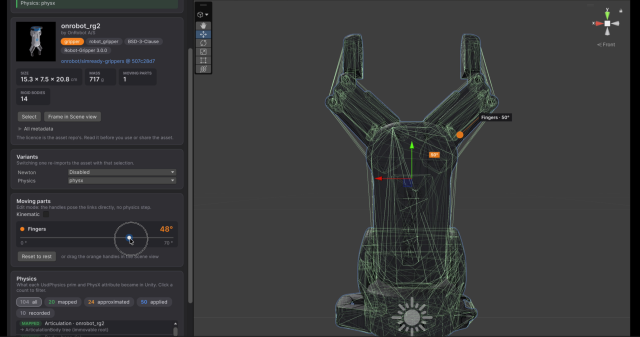
Unity demonstration

Adjust gripping parameters and send commands to a physical OnRobot gripper through ROS 2. The scene uses OnRobot’s USD assets for its digital representation.

Video source: Unity. Gripper and USD assets: OnRobot.

Simulate
URDF models
NVIDIA Isaac Sim
Collect
Interaction data
Training & validation
Control
ROS 2 packages
C++ Tool API

Interested in more physical AI news?

Bagel simulation examples

In this Bagel Labs simulation, a robot with a digital OnRobot gripper weighs fruit one piece at a time. The task is to pack two apples and one orange, each weighing at least 200 grams.

Prompt “Pack 2 apples and 1 orange, each weighing at least 200 grams.”

Three areas of development supported by OnRobot’s physical interaction layer.

Simulate: URDF models and NVIDIA Isaac Sim integration

In the Simulate stage, physical AI developers need digital tool models that better represent the grippers they will use in real-world deployments.

Static CAD or STEP files can represent geometry, but they do not fully describe tool motion, inertia, dynamics, or real-world behaviour. Richer simulation assets help reduce avoidable mismatch between simulation and hardware. These include URDF models and NVIDIA Isaac Sim integration to help teams move beyond static geometry toward more representative simulation of real end-of-arm tools.

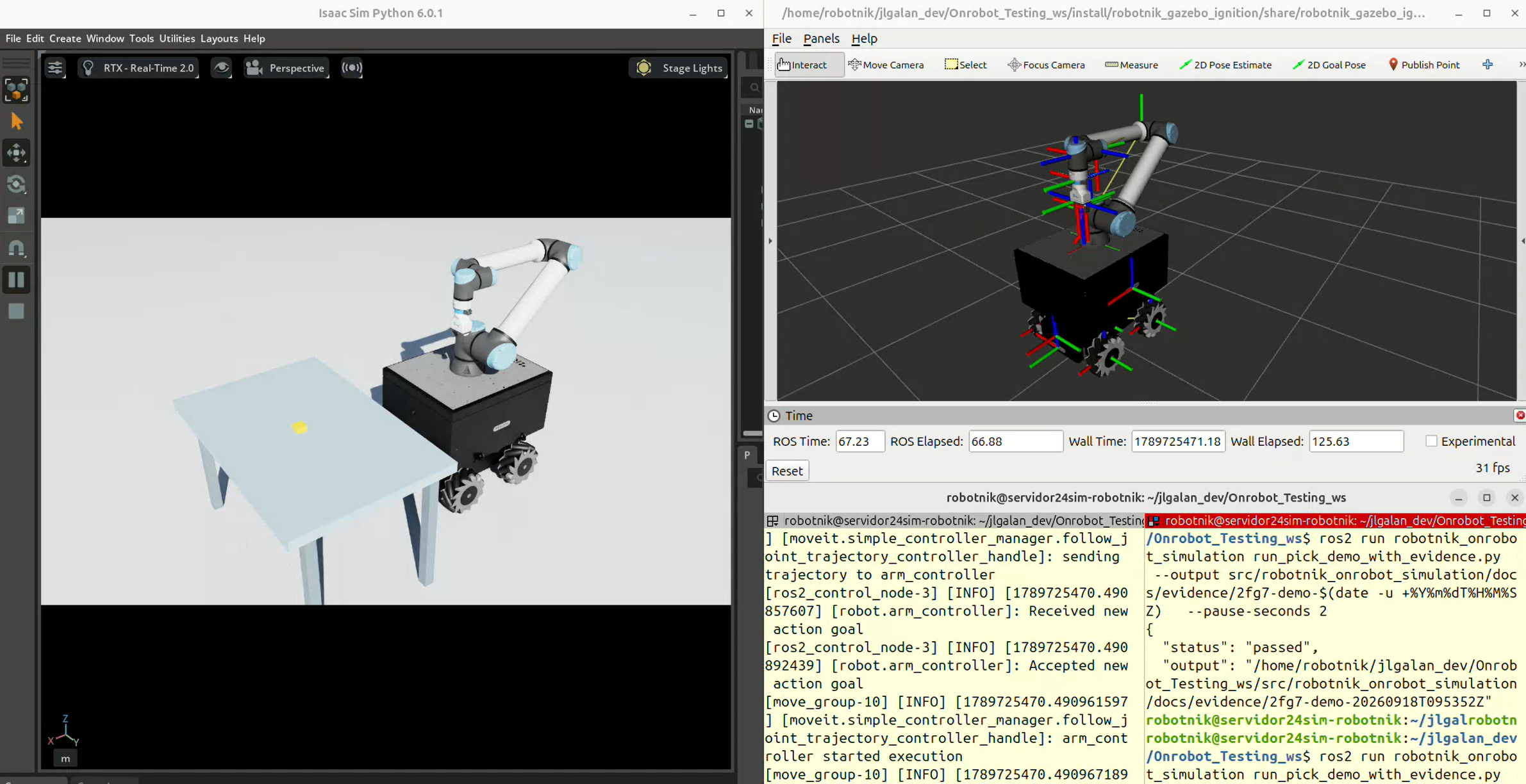
Robotnik Automation simulation and development interfacesSimulation and development interfaces.

Image source: Robotnik Automation.

Start building with OnRobot

Explore OnRobot’s Physical AI developer resources, including URDF models, NVIDIA Isaac Sim integration, and ROS 2 packages for selected grippers, or contact OnRobot to learn how our feedback-rich tools can connect your simulation, data collection, and control workflows.

Collect: interaction data from real-world manipulation

In the Collect stage, the end effector becomes a source of real-world interaction data. Cameras can detect objects and estimate pose, but they cannot fully capture friction, compliance, slip, force distribution, insertion resistance, or grasp stability.

Feedback-rich end effectors help physical AI teams understand not only what the robot tried to do, but what physically happened when it tried.

For physical AI, poor interaction data leads to poor learning. But when data is collected accurately and repeatably, every grasp, push, insertion, hand-off, or release can become useful training and/or validation data.

Did the robot grip the object? Did it lose it? Was the force profile consistent with success? Was there asymmetric contact? Did the object slip? Did the gripper close farther than expected? Did contact occur before vision predicted it?

The RG2, for example, has built-in grip detection that reports whether a part is gripped, lost, or continuously held, along with part width measurement. More broadly, depending on the tool and application, useful feedback can include grip state, gripper width, force, torque, proximity, contact events, and task outcomes.

These signals support closed-loop control: command, feedback, adjust. They also create better data for learning loops and model training. ROS 2 is the access layer for that data. OnRobot’s ROS 2 packages give teams standardized access to real-world gripper data, so what the physical gripper reports can be logged, compared with simulated behaviour, and used for training and validation.

For teams that want to work closer to the hardware, a C++ Tool API provides direct gripper control and data access.

Physical interaction
Grip state · Gripper width
Force / torque · Proximity
Contact events · Task outcomes
Feedback via ROS 2
→
Model pipeline
Log · Compare · Train · Validate

Available signals depend on the tool and application.

Control: connecting model outputs to physical grippers

In the Control stage, teams deploying Physical AI need physical tools that can execute model outputs and return useful state and interaction data. ROS 2 is the command path: models send actions, the gripper executes them, and state comes back through the same interface. The packages provide standardized control of physical grippers and the loop of command, feedback, and adjust runs through one common interface.

Telekinesis demonstration

A language-prompt interface is followed by a physical pick-and-place task using an OnRobot gripper. Playback speed is indicated in the original footage.

Video source: Telekinesis.

From simulation to physical execution

Teams advancing Physical AI should not have to reinvent the physical interaction layer from scratch. Their focus is building models, collecting data, improving generalization, validating behaviours, and integrating perception, control, and action.

OnRobot’s Physical Interaction Layer for AI provides feedback-capable end-of-arm tools and developer resources that help connect simulation, model outputs, and real-world manipulation.

For Physical AI teams, the challenge is connecting increasingly capable models to tools that can be simulated, controlled, and validated in real physical tasks. That is the role of the physical interaction layer, and the purpose of OnRobot’s new developer resources for physical AI.

Contact OnRobot to learn how our tools can support your physical AI applications.

Choose your language

Americas

English Português Español

Asia

简体中文 繁体中文 日本語 한국어 ภาษาไทย Tiếng Việt

Europe

English Čeština Dansk Nederlands Suomi Français Deutsch Magyar Italiano Norsk Polski Português Română Español Svenska Türkçe
English