OnRobot
HEX 6-AXIS
6-axis sensing - Force control - IP67

HEX 6-AXIS

Force/torque sensing for precise, contact-based automation

  • Six-axis measurement - captures force and torque across Fx, Fy, Fz, Tx, Ty and Tz
  • HEX-E and HEX-H variants - choose higher sensitivity or higher torque capacity for the application
  • Advanced force control - maintains controlled contact in sanding, polishing, deburring and assembly
  • Optical sensing and IP67 protection - built for reliable use in demanding production environments
6 axes Measurement axes
200 N Nominal force capacity (single axis)
IP67 Protection rating
0.347–0.35 kg Weight incl. adapter plates
0.8 W Maximum power
3 years Warranty
Surface finishing
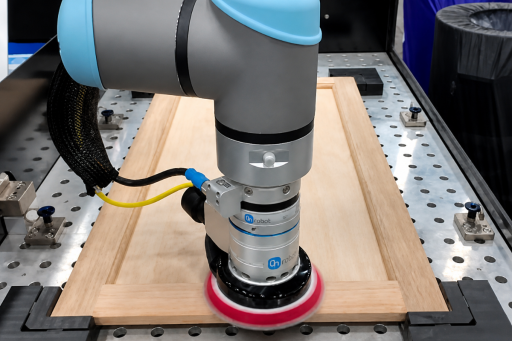
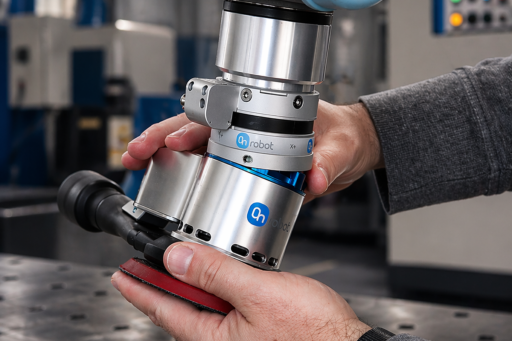
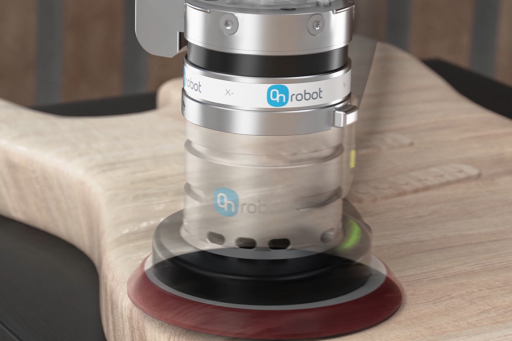
Maintain controlled contact force while sanding, polishing or deburring changing surface contours.
Assembly
Use force feedback to locate parts, guide insertion and detect contact during precision assembly.
Quality inspection
Measure force and torque to verify placement, fit and contact conditions during automated inspection.
01

Control force across changing surfaces

Maintain consistent contact force while sanding, polishing or deburring, even as the tool follows curved or uneven workpiece contours. Six-axis feedback helps the robot adapt its motion to the real surface instead of relying on position alone.

6 axes Force and torque feedback throughout the process
02

Choose the right sensor for the task

HEX-E prioritizes sensitivity for precise force-control work such as sanding and pin insertion. HEX-H provides higher torque capacity when the application uses a heavier payload or longer tool. Both variants share the same compact IP67 housing.

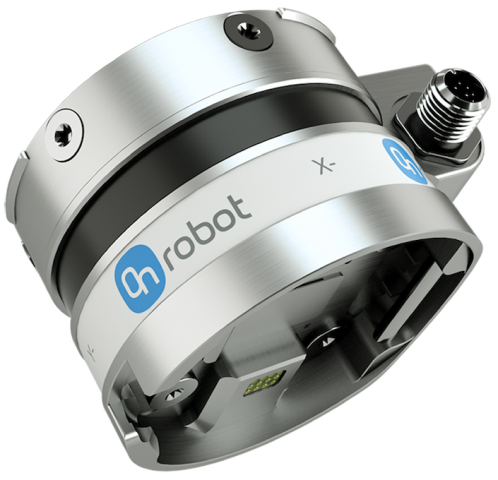
2 variants HEX-E for sensitivity, HEX-H for higher torque capacity
03

Built for reliable industrial force sensing

The optical sensing design resists sudden shocks, while the IP67-rated housing supports use in demanding production environments. Integrated software simplifies force-control setup, path recording and contact detection across supported robot platforms.


IP67 Protection for demanding production environments
ABB Doosan Fanuc Hanwha Jaka Kassow Robots Kawasaki Robotics Kuka Nachi Techman Universal Robots Yaskawa Denso Elite Robots Epson Schneider Electric Omron ABB Doosan Fanuc Hanwha Jaka Kassow Robots Kawasaki Robotics Kuka Nachi Techman Universal Robots Yaskawa Denso Elite Robots Epson Schneider Electric Omron
WHY HEX 6-AXIS

Force feedback for contact-based automation

Use six-axis feedback to maintain defined contact force while sanding, polishing and deburring. The robot can follow surface contours while reducing the risk of over- or under-processing.

Force feedback helps the robot search for position, detect contact and monitor insertion conditions in assembly tasks. This supports faster setup and more reliable handling of part variation.

Measure Fx, Fy, Fz, Tx, Ty and Tz in one compact sensor. HEX-E prioritizes sensitivity, while HEX-H supports higher torque capacity for heavier or longer tooling.
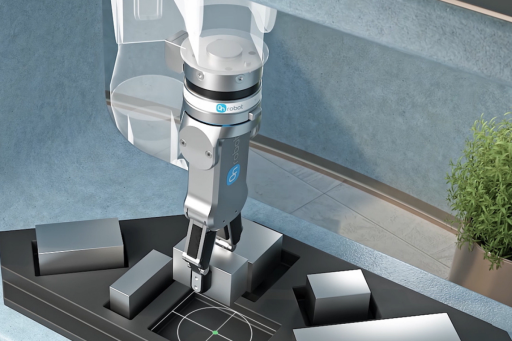
Application

Built for feedback

Add reliable force and torque feedback to sanding, polishing, deburring, assembly, insertion, part detection and quality-control tasks. HEX helps the robot respond to real contact conditions instead of following position alone.
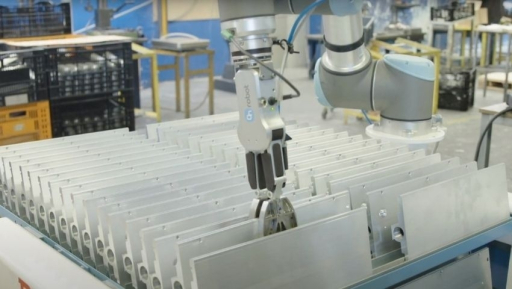
6-axis force and torque feedback
200 N nominal force capacity per axis
HEX-E / HEX-H variants for sensitivity or higher torque capacity
Doubling CNC Machine Productivity

Automation keeps Donk Industries running even when no one’s there

OnRobot RG6 gripper and HEX sensor help Donk Industries double CNC machine productivity.
Downloads & resources

Technical resources for your integration

Technical documentation for evaluating and integrating the HEX 6-Axis Force/Torque Sensor.
Datasheet
Specifications, dimensions and performance data for HEX-E and HEX-H.
Download →
Step files
3D models for mechanical integration.
Download →

Ready to add force and torque feedback to your robot?

Tell us about your robot, tool, payload and process. Our local expert can help you choose between HEX-E and HEX-H and assess the right setup for your application.

Talk to an Expert

Choose your language

Americas

English Português Español

Asia

简体中文 繁体中文 日本語 한국어 ภาษาไทย Tiếng Việt

Europe

English Čeština Dansk Nederlands Suomi Français Deutsch Magyar Italiano Norsk Polski Português Română Español Svenska Türkçe
English